Doodle Border Canva Frames: The Hand-Drawn Touch Your Designs Need
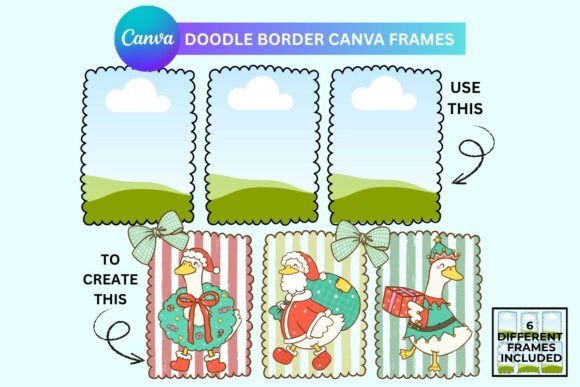
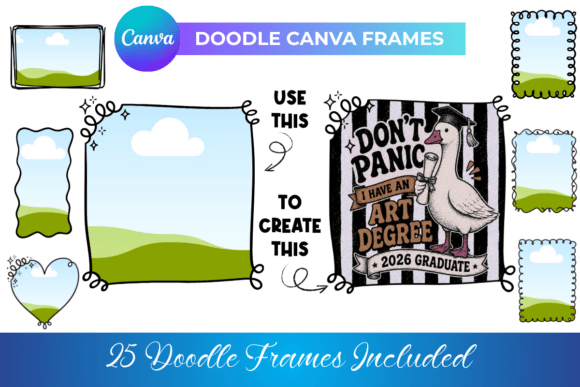
There's a particular charm to hand-drawn elements in design. They feel personal, organic, and immediately break through the visual noise of overly polished, corporate graphics. But achieving that authentic, sketched look often requires artistic skill, time, or expensive custom illustrations. What if you could inject that whimsical, hand-crafted personality into your projects in seconds? That's the core promise of Doodle Border Canva Frames, a set of 25 digital templates designed to clip your content into playful, doodle-style borders right inside Canva.
Understanding the Visual Appeal and Versatility
These frames are more than just static outlines. They function as dynamic design assets, acting as a clip mask for any photo, pattern, color swatch, or text you drag into them. The result is content perfectly framed by a whimsical, imperfect line that feels like it was sketched in a notebook. The personality is unmistakably casual, friendly, and creative. It's a style that communicates approachability and artistry, making it a fantastic alternative to standard geometric frames or harsh digital edges.
The real strength lies in its seamless integration with the Canva platform. Whether you use the free or Pro version, the workflow is intuitive. You simply drag your chosen element over the frame, and it clips automatically. This drag-and-drop ease eliminates technical barriers, allowing you to focus on composition and message. The frames themselves are fully editable within Canva—you can adjust their size, rotation, and even color to match your specific brand identity or project palette. This flexibility transforms them from a single-use template into a versatile component of your modern typography and layout toolkit.
Where Doodle Frames Make a Real Difference
Thinking about practical application is where these frames prove their value. They are not a one-trick pony. For print on demand sellers, they are a quick way to create unique designs for t-shirts, tote bags, and mugs. Imagine a favorite quote or a small illustration framed by a doodle border—it instantly elevates a simple graphic into a more considered, boutique-style product. The hand-drawn aesthetic aligns perfectly with the current market demand for products that feel personal and less mass-produced.
For digital product creators and publishers, the applications are equally broad. Use them to frame cover pages of planners, journals, or workbooks. They can add a delightful, engaging touch to social media graphics, making a promotional post or an Instagram story feel more crafted and less automated. In editorial design, they could highlight a pull quote or a featured image in a blog post, guiding the reader's eye with a friendly nudge rather than a rigid box. The key is understanding that these frames influence visual hierarchy and audience engagement by making elements feel more important and approachable through their unique presentation.
Practical Guidance for Effective Use
While the tool is simple, thoughtful application makes all the difference. Start by considering your project's overall tone. The doodle style is inherently casual and creative. It pairs beautifully with handwritten fonts, friendly sans serif fonts, or even a complementary serif font for a touch of contrast. It might be less suitable for ultra-corporate, formal, or minimalist projects where clean lines are paramount. Always test your font pairing and imagery within the frame to ensure readability isn't compromised by the decorative border.
Evaluate the frame's line weight and complexity against your content. A very detailed photo might get lost in an equally intricate doodle frame. Sometimes, a simpler frame lets the content breathe. Don't hesitate to change the frame's color—matching it to a secondary brand color can create excellent cohesion. Because you receive a direct link to an editable Canva template, you have a reusable design asset. This is a commercial font-adjacent tool, meaning you can use the final designs you create with these frames for commercial projects, a crucial detail for entrepreneurs and small business owners.
Ultimately, the value of Doodle Border Canva Frames is in solving a specific problem: how to efficiently add a layer of handcrafted personality to digital designs. It bridges the gap between the desire for organic, artistic elements and the practical need for speed and consistency in content creation. By understanding its strengths and pairing it thoughtfully with your other design assets, you can consistently produce work that feels both professional and delightfully human.